RoomReady
Was that room actually checked after check-out?
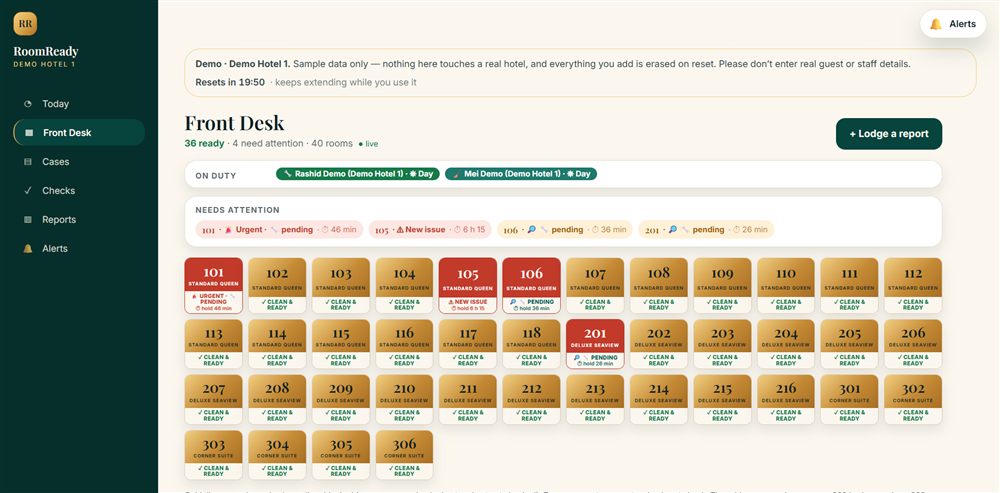
Reception taps the room, the check lands on your staff’s phone, and the moment they finish you can see it. Demo Hotel 1 below is yours to play with — forty rooms and three months of history. You cannot break anything.
Front desk asks for a check
A guest checks out. Reception taps the room. No phone call, nobody shouted for.
101 · waiting to be checked
Your technician does it on his phone
The check lands on his phone. He works down the list, and anything wrong gets a ✗ — which becomes a case on its own.
- Taps no leaks·
- Toilet flushes·
- Shower hot water·
- Bathtub drains·
- Lights + switches OK·
- Sockets + USB OK·
You see it, straight away
Nobody had to pass a message on. The case is assigned, and the room’s status looks after itself.
The room numbers, checklist and counts above are this demo hotel’s real data, read a moment ago. The sequence over them is a demonstration — it changes nothing.
How the demo works — worth a glance before you startOpen
- Nothing here is real. This is a sample hotel with invented rooms, staff and history. It is not connected to any real property, and nothing you do can affect one.
- Everything you do is erased. Cases, room checks, photos and notes are all wiped when the hotel resets, and it goes back to the state you found it in. Nothing is kept and nothing is sent to us.
- Please use made-up details. Don’t enter a real guest’s name, a real phone number or anything else you would not want deleted — treat it as a sandbox, because that is what it is.
- It resets after twenty quiet minutes. The clock above keeps pushing back while you are using the dashboard or reading this page, so you will not be cut off mid-way. It only runs down once you stop.
- These logins are shared. They are printed on a public page, so treat this hotel as a shop window rather than a private account.
1 · The manager’s view, in this browser
- Phone
- +601111000001
- Password
- rr-demo-1-mgr
2 · The technician’s view, on your phone
- Phone
- +601111000002
- Password
- rr-demo-1
On an iPhone, or would rather not install anything? Open the technician app in a new tab and sign in with the technician login above. Everything works there except the camera — taking photos and scanning room QR codes need the app on a real phone.
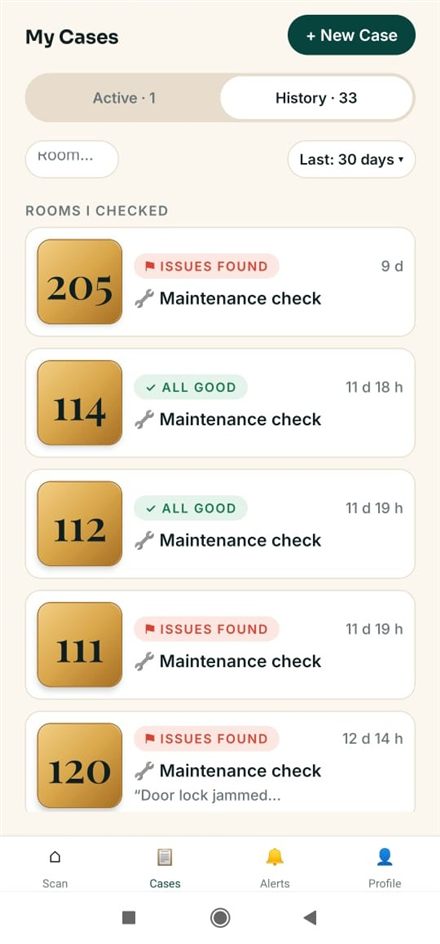
Your work, on one screen
Sign in with the login above. Everything assigned to you is here, with the room number big enough to read at arm’s length.
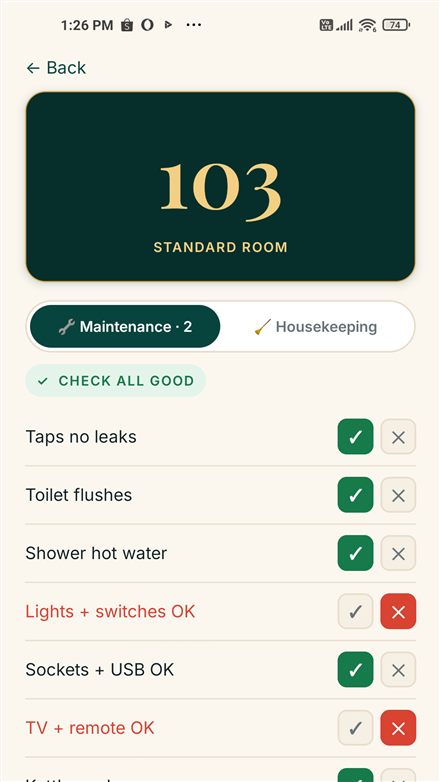
Work down the checklist
Open the room check waiting for you. Tap ✓ for anything fine and ✗ for anything wrong — the two red rows here are faults being reported.
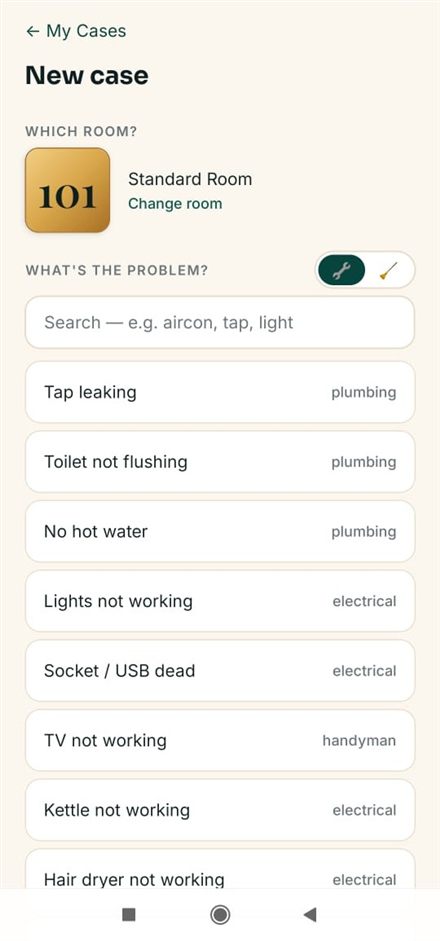
Or report a fault outright
Pick the room, pick the problem from the list, add a photo. This is the part your team will use most.
3 · The housekeeper’s view
A room check has two halves. The room only turns ready once both maintenance and housekeeping have submitted, so sign in as her too — in a second browser, or after signing out of the technician — and finish the cleaning list.
- Phone
- +601111000003
- Password
- rr-demo-1-hk
What to try
- On the dashboard, open Front Desk and pick room 101.
- On the phone, open the room check waiting there and work down the checklist.
- Report a fault on one item, and take a photo of anything to hand.
- Back on the dashboard, watch the room turn ready and the case appear.
- Open Reports to see what three months of this looks like.